Teams is a modern and collaborative feature available to AVOXI Contact and Enterprise License holders. The contact center feature was designed to increase agent productivity and enhance teamwork by organizing, filtering, and formally grouping users/agents.
Grouping Examples:
- Users who share a common set of outbound caller IDs
- Users who represent a department
- Users that need to be reported on together
- Agents who receive inbound queue calls
- Agents who receive inbound calls and make outbound calls
- Users who you want to search for in the contact list easily
|
Manage Teams
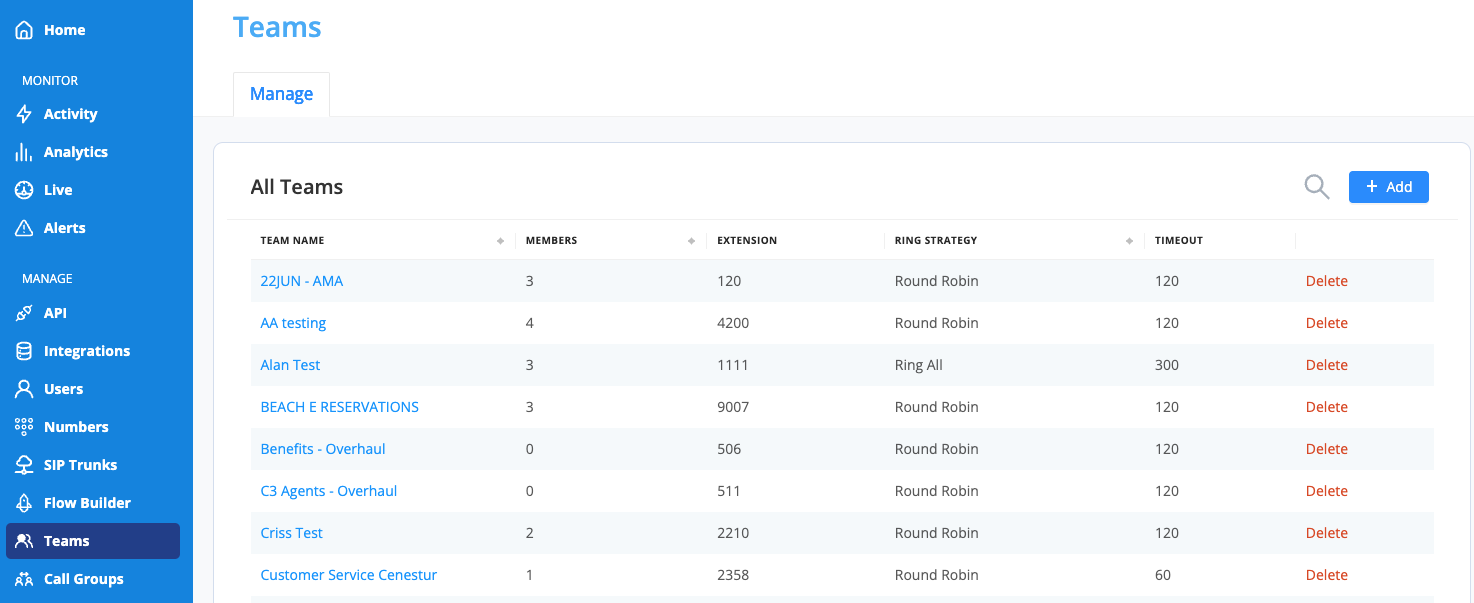
- To create a team, start by selecting the "Teams" icon located on the left-hand side navigation bar.
- Then, select the "+Add" button in the top right-hand corner.
- Enter a "Team Name"
- Enter an extension for the team
- Select your ring to strategy. Choose from Round Robin, Least Used, or Ring All.
- Set your timeout (in seconds). If you want your caller to stay in the queue until an agent picks up, keep your timeout at 0. AVOXI Tip: This will also control the amount of time a queue callback call remains in the queue.
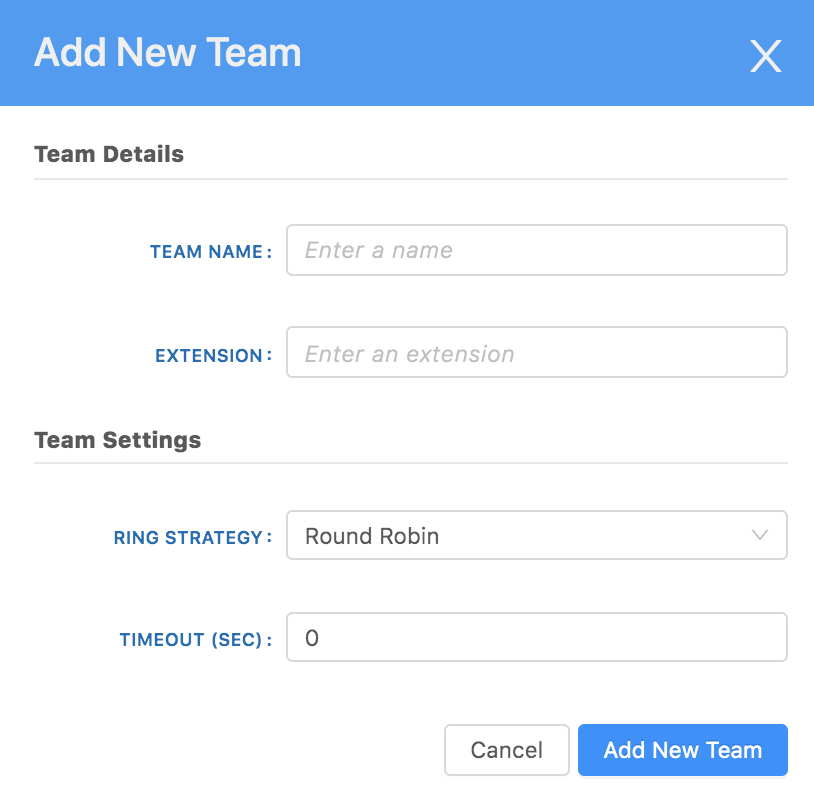
- Once you've completed the required fields, select the "Add New Team" button.
AVOXI Tip: Create dispositions, also called labels, to define the outcome of a call.
Delete
Timeouts and Ring Time Settings
Here's how our Ring Settings and Timeouts work together:
- Ring Time Duration (Sec) - Dictates how long an Agent is rung before moving on to the next Agent
- Timeout (Sec) - Queue Timeout - dictates how long the call will stay ringing before it times out.
- Example: Ring Time Duration - 15s, Queue Timeout - 20s - Call would enter queue and ring one Agent for 15s, then be pushed to the next available Agent and ring for 5s before going to the Timeout destination
- Best Practice: Align your Ring Time with your timeouts. It's not a great experience for Agents to only be rung for a few seconds, better to let them ring for 10+ seconds to give them proper time to answer a call.
