As an Admin/Supervisor, you can delete voicemails within your AVOXI account anytime.
To do so, follow the below guide:
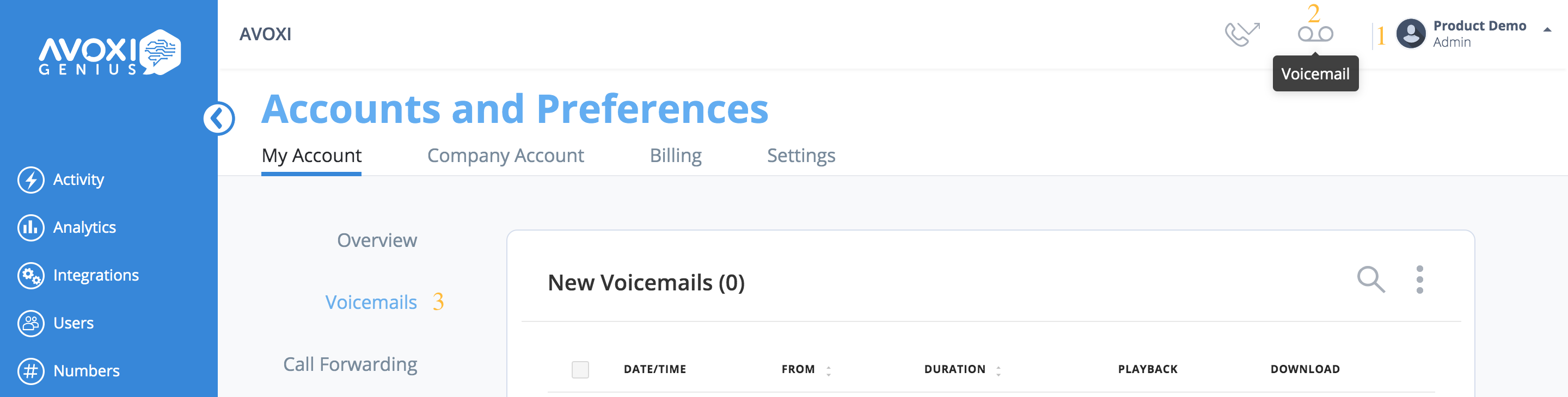
- To get started, log in to your Genius account
- Then select the "Voicemail" icon located on the top right navigator
- Next, click the "Voicemail" tab
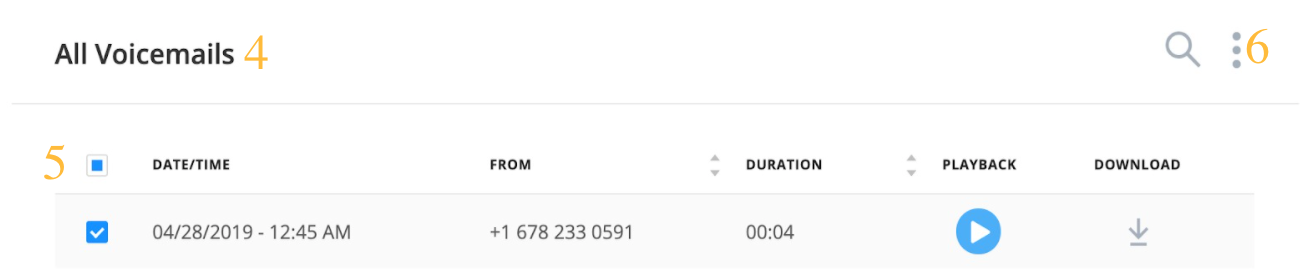
- On the voicemail homepage, scroll down to "All Voicemails."
- Use the box tick to select which voicemails you would like to delete
- Lastly, select the three dots and then "Delete Voicemail."