As an Administrator and Supervisor, you can easily add team members at any time.
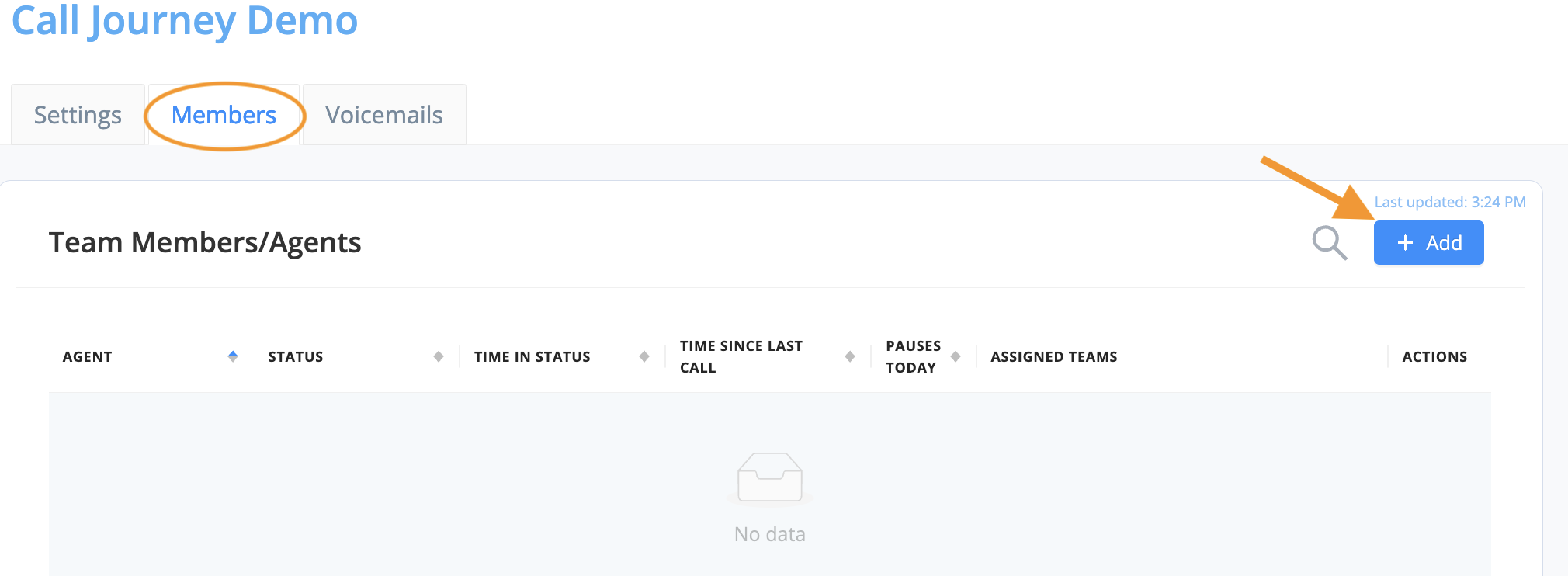
- To add team members/agents by selecting the "Members" tab
- Select the "+ Add" to add users/agents to your team.
- Select your users/agents and then the move arrow to add them to the queue.
- Then select Apply.
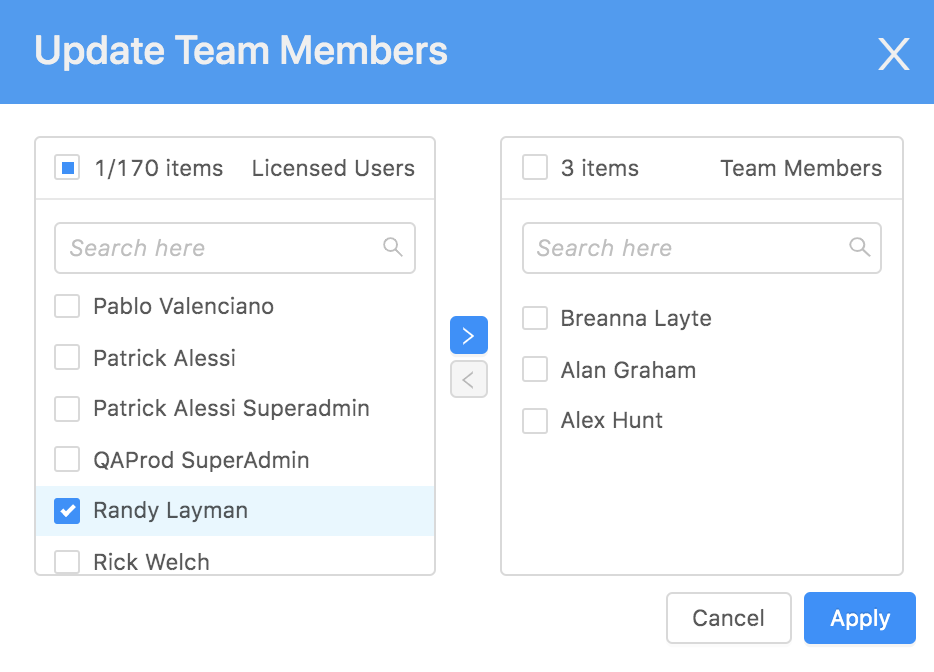
- AVOXI Tip: Only users/agents with an assigned Genius license will appear here. You can purchase more licenses or reassign an existing license to another user.