As an AVOXI Admin, you can remove team members/agents from a team at any time.
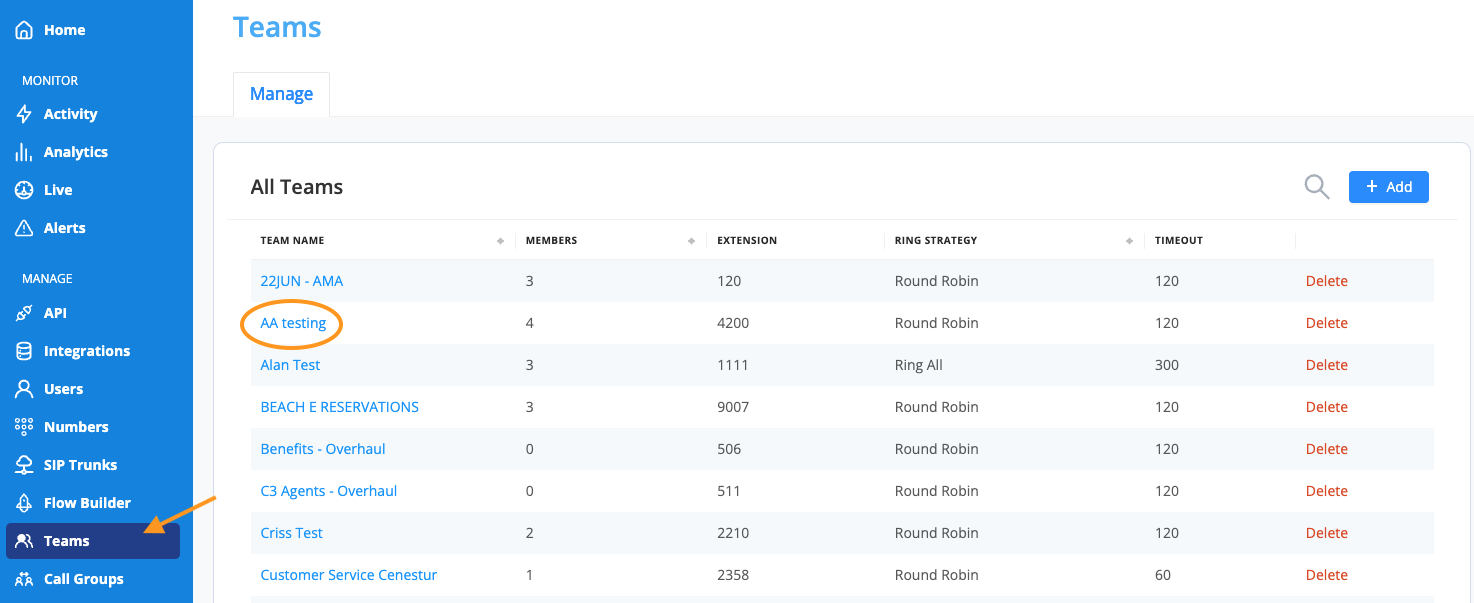
- To do so, select the "Teams" icon located on the left-hand navigation bar.
- Then select the team from which you want to remove members.
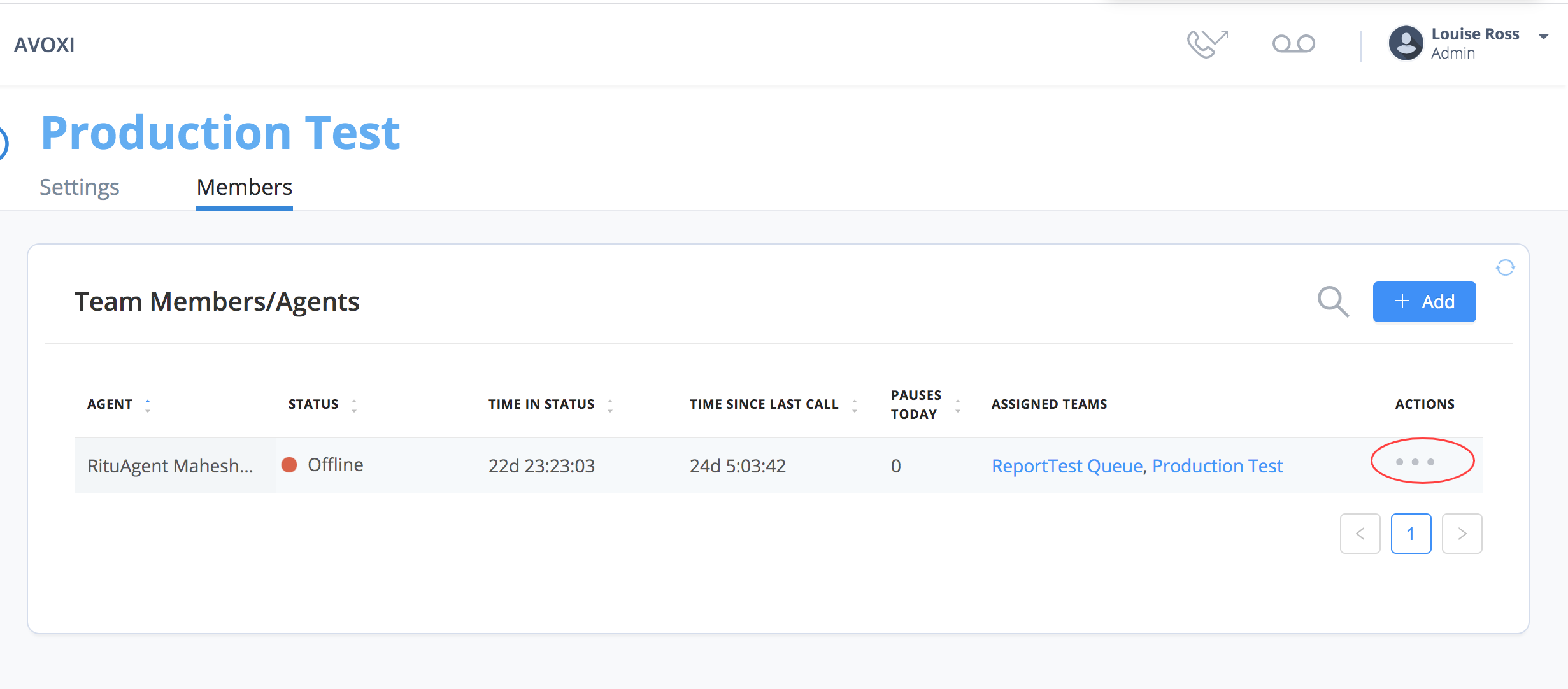
- Click the "Members" tab to view all team members/agents of the selected team.
-
Next, click the three dots under the "Actions" column of the team member you want to be removed.
-
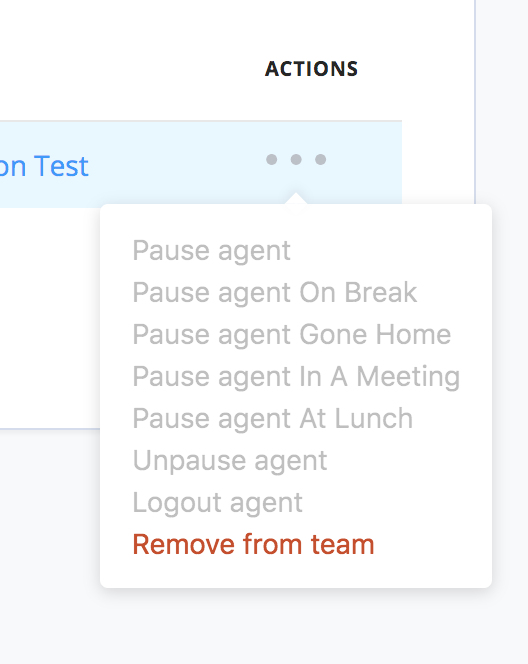
Click "Remove from the team" from the drop-down list and then select "Yes" to confirm.
AVOXI Tip: You can add new or additional team members/agents to a team anytime. A reminder that agents require an assigned Genius license. Learn more about purchasing additional licenses or reassigning an existing license to another user.
